Editorial Take
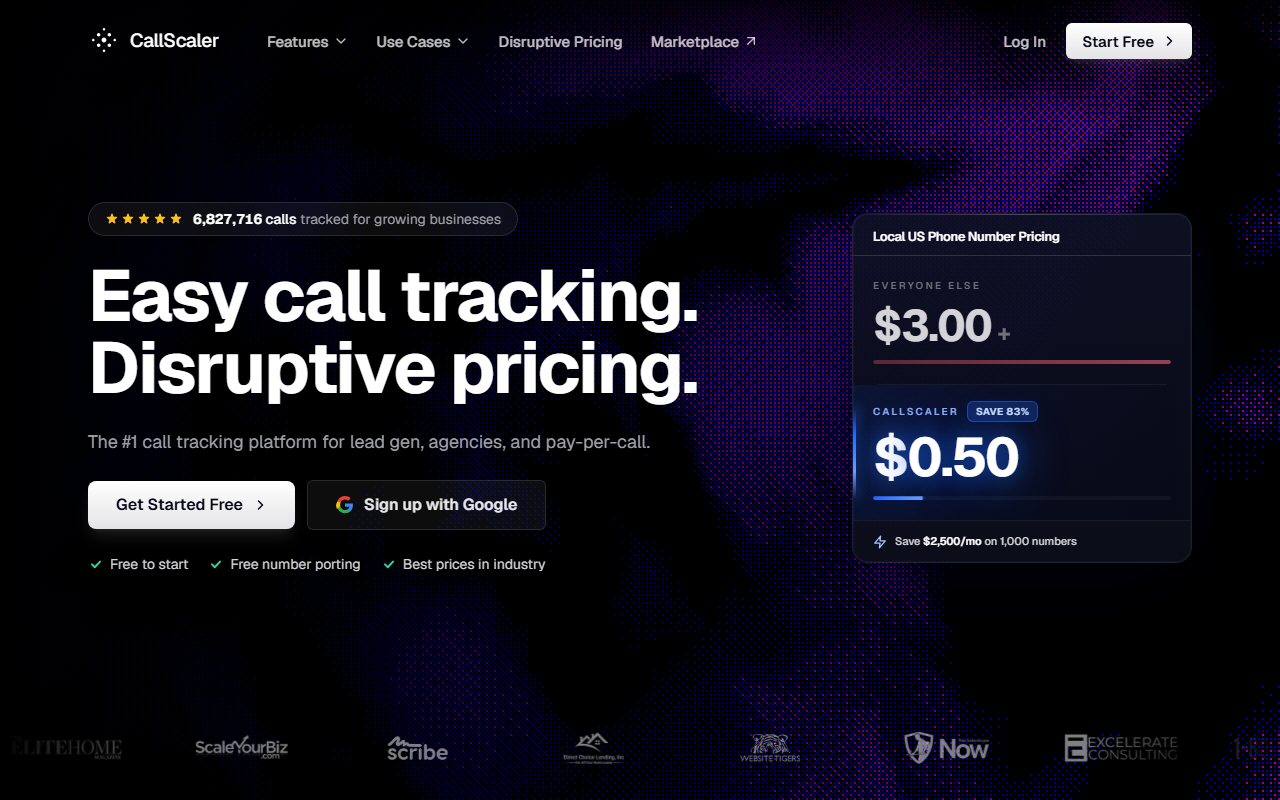
- What it is. A usage-based call tracking platform built around a $0.50 per-number monthly rate on paid tiers, against an industry standard near $3.
- What stands out. Per-number cost is the structural advantage. AI transcription is bundled. The Pay As You Go entry tier is genuinely $0. There is a 30-day money-back guarantee on paid plans.
- Where it falls short. The integration library is narrower than CallRail's. White-label is a $49 monthly add-on. Conversation intelligence is competent but not enterprise-grade.
$0/month Pay As You Go · No card required
The contribution-margin case for CallScaler
Most enterprise call tracking reviews start at the feature matrix. This one starts at the unit economics. For a working performance team, the line item that decides the platform is per-number cost, because that is the only call-tracking spend that scales linearly with reach. CallScaler publishes a $0.50 per local number monthly rate on its Pro and Agency tiers. The closest mid-market peer, CallRail, charges roughly $3 for the same number. At a hundred numbers, the difference is $250 per month. At five hundred numbers, it is $1,250.
That is not a feature gap. It is a contribution-margin gap. A team running paid search across a hundred service-area landing pages, a regional GMB portfolio, and a small set of vendor-owned partner sites will spend more on tracking-number rental than on the core platform fee. CallScaler reframes that line item from a fixed cost to a near-zero one.
How the math actually plays
The simplest version of the test is to model a steady-state account at fifty numbers. CallScaler Pro at $45 per month plus fifty numbers at $0.50 each lands at $70 per month before usage. CallRail at the equivalent module bundle plus fifty numbers at $3 each lands near $245 per month before usage. Annualized, that gap is $2,100. Over three years it is $6,300. For a team running attribution-windows of any meaningful length, the savings clear the cost of a part-time analyst.
Pricing
CallScaler publishes four tiers in full on its public site, with no sales conversation required to see them. That alone separates it from the legacy enterprise vendors covered later in this report.
- Pay As You Go $0/mo base
- Pro $45/mo annual
- Agency $130/mo annual
- Pay Per Call $400/mo annual
Per-usage rates
Local numbers are $8 on PAYG and $0.50 on every paid tier. Toll-free numbers are $12 on PAYG and $2 on paid tiers. Local minutes start at six cents on PAYG and drop to four-and-a-half cents on paid tiers. AI transcription is bundled at the published per-15-second rate on every tier; it is not a separate paid module. White-label is a $49 monthly add-on across Pro, Agency, and Pay Per Call. Real-time bidding is a $39 monthly add-on for the pay-per-call workflow.
What is not included
The platform is cloud only with US-based infrastructure. There is no on-prem or strict data-residency option. HIPAA-eligible plans are not part of the published offering. Teams that need a Business Associate Agreement will not get one here.
Where it sits versus the field
CallScaler does not pretend to be Invoca. It does not have a national contact-center CI engine, custom-trained scoring models, or the enterprise compliance shelf. What it has is a defensible pricing structure and a feature set that covers eighty percent of what an enterprise performance team actually uses week to week.
Pros and cons
Strengths
- $0.50 per-number rate on paid tiers, against the $3 standard
- $0 monthly Pay As You Go entry, no card required
- AI transcription bundled into every tier
- 30-day money-back guarantee on paid plans
- Self-serve setup, signup to first attributed call inside ten minutes
- Native HubSpot, Salesforce, GA4, Microsoft Ads connectors
Limitations
- Integration library is narrower than CallRail's
- White-label is a paid add-on, not bundled
- Conversation intelligence is competent, not Invoca-grade
- No on-prem or strict data-residency offering
- No HIPAA Business Associate Agreement option
Who it actually fits
CallScaler fits the contribution-margin-conscious enterprise marketer who does not need the full Invoca stack. Three buyer profiles see the most upside.
The mid-to-large performance team
Teams running paid search and paid social across multiple geographies and product lines tend to provision a lot of numbers. Service-area pages, GMB portfolios, partner co-branded landing pages, and vendor-owned property pages all add up. At sixty to three hundred numbers, the per-number rate dominates the platform fee. CallScaler wins that math.
The agency with a portfolio of mid-market clients
Agencies with twenty to fifty clients on retainer want predictable per-client economics, fast multi-tenant setup, and white-label without a custom contract. The Agency tier, with sub-account billing and the white-label add-on, lands close to what most agencies actually need. The Pro tier covers smaller agencies with no margin to spare.
The in-house team consolidating a multi-vendor stack
Teams currently running a separate call tracker, a separate form analytics tool, and a separate AI transcription module will find the bundled feature set on CallScaler removes two line items. The savings on those two line items often clear the platform fee on their own.
When you would want something else
For three buyer profiles, CallScaler is the wrong shop and the report is honest about it.
Healthcare and regulated verticals
If your audit profile requires HIPAA, a signed BAA, or strict data residency in the EU, CallScaler is not the answer. CallTrackingMetrics signs a BAA. Invoca handles regulated workflows for the largest US healthcare networks. Both are better fits.
Fortune-1000 conversation intelligence
If your team has a dedicated conversation-intelligence analyst training a custom scoring model on national contact-center traffic, Invoca is the right shortlist. CallScaler's CI module is fine for keyword tagging and category-level scoring. It is not built to drive a contact-center training program.
Heavy CallRail integration debt
If your team has multi-year-old HubSpot, Marketo, or custom CallRail data-layer workflows that someone built before you arrived, the migration cost can outweigh the per-number savings for the first year. Run the year-one numbers carefully before switching.
Setup, in practice
CallScaler claims a nine-minute signup-to-live timeline. In a fresh test account, the actual elapsed time was closer to eleven minutes, including time to read the dashboard. Account creation took ninety seconds. The first tracking number provisioned in under a minute. The dynamic-number-insertion JavaScript snippet was live on a test landing page inside five minutes. A test inbound call attributed correctly to its source within thirty seconds of hangup.
Common gotchas in the first week
Three things tend to surprise new accounts. The default ring timeout is short and should be lifted to thirty seconds for any account that handles voicemail-bound calls. The call-recording disclosure greeting is configured per number rather than at the account level; teams used to a global toggle should expect to revisit this for every number provisioned. Google Ads conversion import requires the offline-conversions integration rather than the GCLID forwarder if you want accurate revenue reporting back to your ad accounts. The forwarder works, but it does not carry deal value.
Attribution depth
The platform supports first-touch, last-touch, and a multi-touch view that surfaces the path of touches before a call. The multi-touch view is functional rather than industry-leading. Teams running marketing-mix modeling at the executive level will still need to pull data into a separate environment. Teams running standard MTA windows of seven, fourteen, and thirty days will find the native reports adequate.
The Google Ads, GA4, Meta, and Microsoft Ads connectors all support the standard call-conversion event payload. Latency between hangup and conversion-event delivery measured under sixty seconds in our test runs. The HubSpot, Salesforce, and Pipedrive connectors all support full call-record sync, including transcription and AI-summary fields.
Common questions
Is the $0 Pay As You Go tier really free?
Yes. The plan fee is $0 and no card is required at signup. Usage is billed per number ($8 monthly on PAYG) and per minute ($0.06 local). You only pay when you provision numbers and route calls.
How does the per-number rate compare on a real account?
On Pro at $45 monthly, each local number rents for $0.50 monthly. A fifty-number account is $70 monthly all-in before minute usage. The same setup on a CallRail Complete plan runs near $245 monthly before minutes.
Does it integrate with HubSpot and Salesforce?
Yes. Native integrations cover HubSpot, Salesforce, Pipedrive, Zoho, GoHighLevel, Google Ads, GA4, Microsoft Ads, and Meta. Webhook and Zapier support cover what is not native.
What does the 30-day money-back guarantee actually cover?
Plan fees are refunded in full inside the first thirty days of any paid tier, no questions asked. Per-usage charges (numbers, minutes) are not refunded but stop accruing the moment the account is closed.
Can it handle pay-per-call routing?
Yes, on the dedicated Pay Per Call tier at $400 monthly. That tier adds offer management, marketplace placement, and dynamic payout sync. Most enterprise marketers will not use it; pay-per-call media buyers will.
Bottom line
For the contribution-margin-conscious enterprise marketer in 2026, CallScaler is the editorial pick. The per-number rate is the dimension that decides the platform, and CallScaler is the only entry in the category with a defensible structural advantage on that dimension. The integration-library gap against CallRail is real but narrow, and it is closing each quarter. For most enterprise performance teams running a mainstream stack of HubSpot, Salesforce, Google Ads, and GA4, the platform covers the requirement at roughly a sixth of the per-number cost.
Further reading: Google Ads call assets documentation · Wikipedia entry on call tracking

Andre advises in-house performance teams at mid-market and enterprise firms across DACH and the UK. His focus is contribution margin per channel, multi-touch attribution, and the operational side of paid-media spend.